Getting started with WellOrbs
A symptom journal you can bring to your next appointment
It can be hard to remember how you felt last Tuesday, when a symptom started, or what you wanted to ask. A few short notes in WellOrbs give you a record to look back on and share with your clinician.
1. Start with the things you want to remember
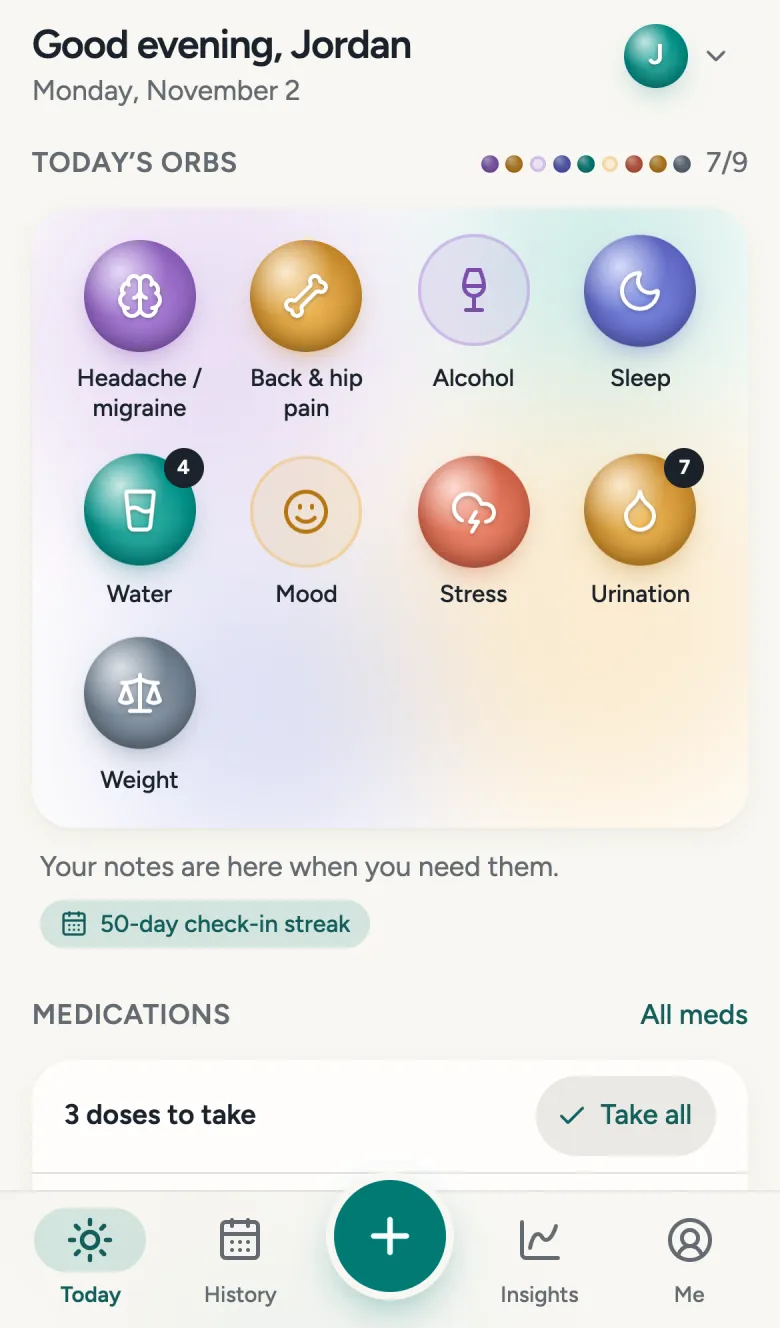
Create an account, then choose the trackers that matter to you. You might start with one symptom and a daily log such as sleep or mood. You can add more trackers later, rename them, and choose which appear on Today.
Keeping a journal for someone else? WellOrbs supports separate journals for a child or parent and invitations for caregivers. Choose the journal you mean to update before adding an entry.
2. Add a short note when something happens
Open a tracker on Today to make an entry. For symptoms, record the time and severity; use the body map when that tracker offers one. A short note can capture what the numbers leave out, such as how long it lasted or what you were doing.
Example journal note
“Headache started around 2 pm. Severity 4 out of 10. Lasted about an hour. Had trouble concentrating during a meeting.”
Record only what you know. You can add a photo when it helps document a change, and correct entries in History. Ordinary photos can be included in a report if you select them; private vault contents are separate.
3. Look back before your appointment
Use History to find entries and the tracker charts to see changes over time. Insights can highlight associations in the information you logged. These are observations to discuss with your clinician; they cannot establish a cause or diagnose a condition.
In Appointments, add the questions you want to ask. For example: “Has the frequency changed?” or “Which details would be useful for me to record?” Your journal does not need to be complete to help you remember a specific experience.
4. Choose what goes into your doctor report
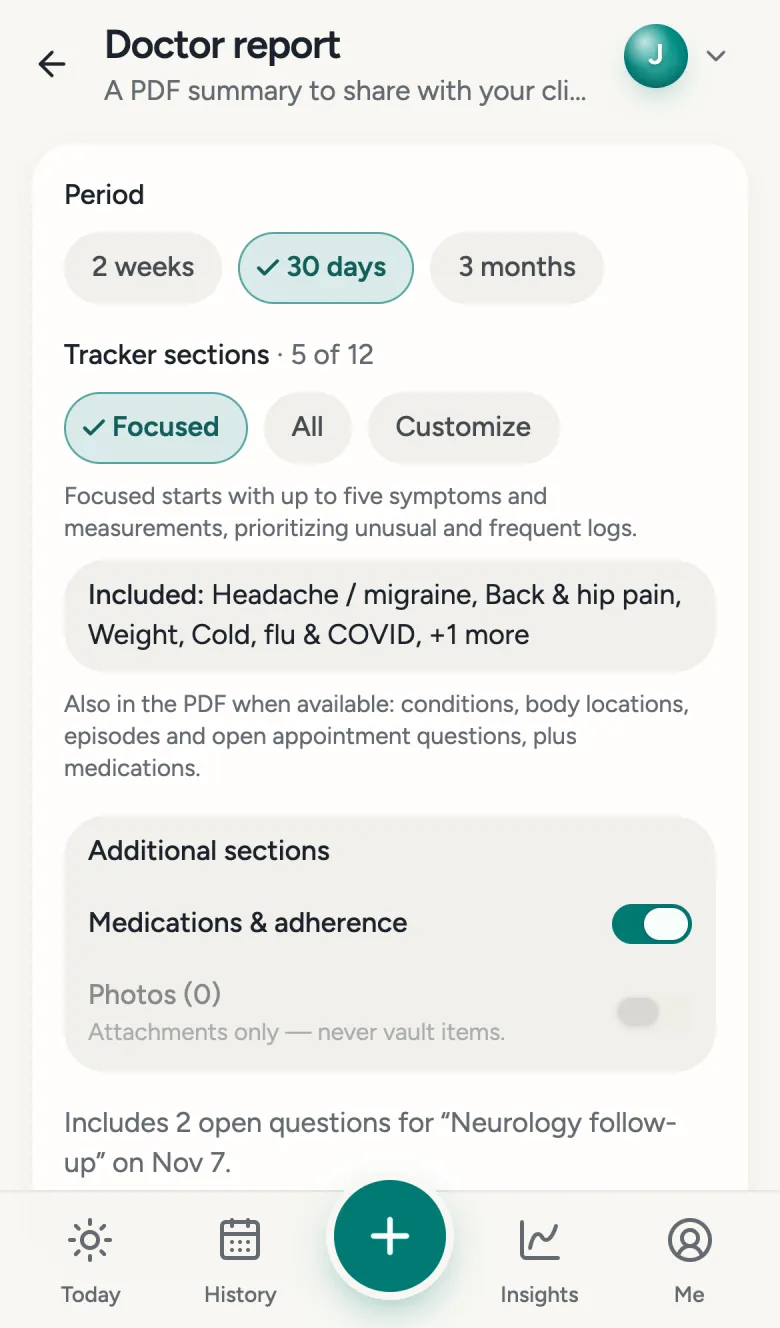
Open Doctor report and select a period: two weeks, 30 days, or three months. Use the focused selection, include all trackers with data, or make a custom selection. Choose whether to include medication information or ordinary photos, and add a note with your main concerns.
Select Create report, then download the PDF or use the sharing options available on your device. Review it before sharing and send it through a channel your clinician accepts. Creating a report does not automatically send it to anyone.
Your journal, your choices
Keep only the information you want to record. You choose who can access a journal, what to include in a report, and when to share it. Read the privacy policy and consumer health data policy for details.
WellOrbs is a personal health journal. It does not diagnose, provide treatment, or monitor your journal for emergencies. Follow your clinician’s advice about your care.